What can I do if my pet is lost? A flyer and a page with a QR code
In Pet Legacy Life you mark your pet as lost and make a «MISSING» flyer ready to print, on every plan, free one included. With Basic and Plus you can also publish a public page with a QR code, a link and images for your stories and posts. The page and the flyer never show your pet's microchip, its health or your address.
Updated: Nov 12, 2026
Free to start, no card. The demo needs no account.
How it works in Pet Legacy Life
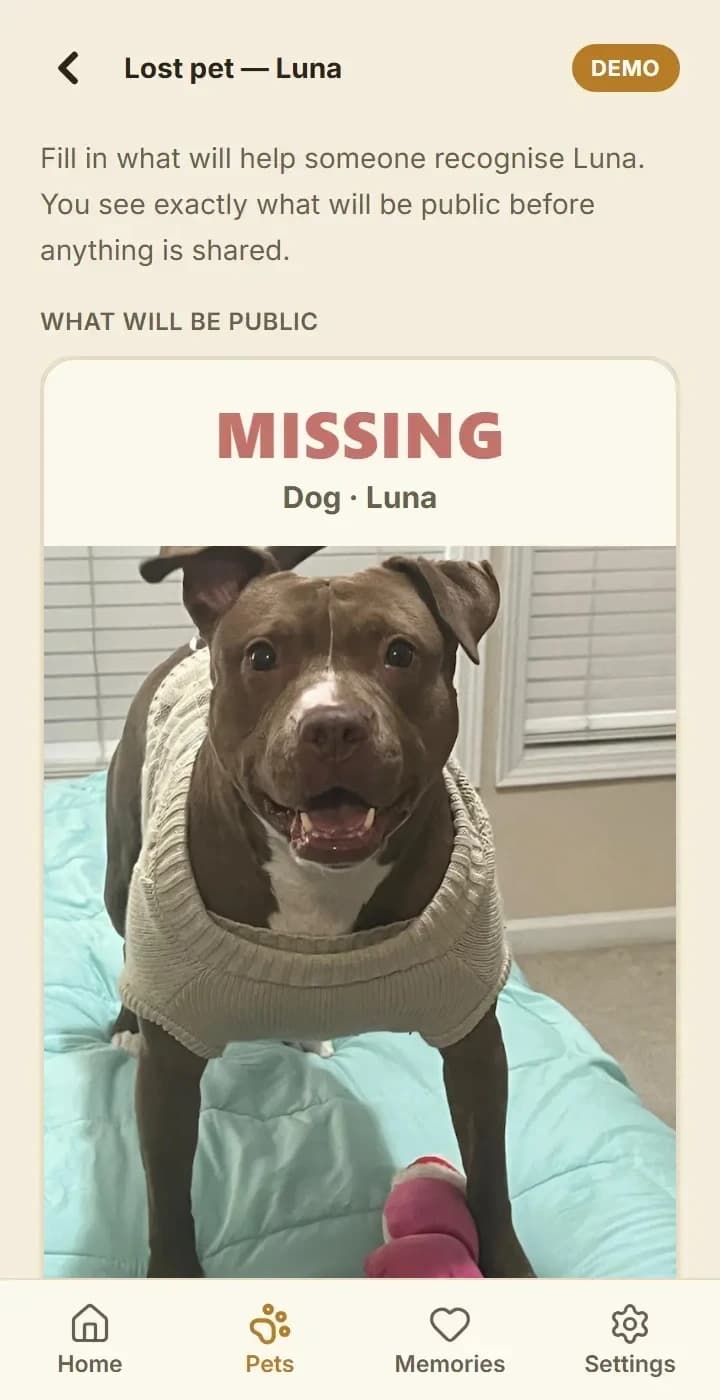
- Open your pet's menu ⋮ and choose «Mark as lost», or use the Lost pet shortcut on Home.
- Fill in when it was lost, the area (a street or neighborhood, never the exact address), its description and marks, a note from you, up to 3 photos and the contact you want shown: phone, email or both. You see «What will be public» before anything is made. Nothing is created until you tap «Create».
- Tap «Print a flyer» to open the «MISSING» flyer, ready to print.
- With Basic or Plus, tap «Publish the page»: you get a public page with a QR code and a link, a Share button that opens your phone's share menu, and images sized for a story and a post. You can print more flyers and turn the page off at any time.
- The public page shows what you chose, a warning never to send money or share codes, and a way to report the page. It never shows the microchip, health information or an address.
- When your pet is home, tap «Found!»: the search closes and the reunion is saved in its memories.
Which plan you need
- Free, Basic and Plus: the «MISSING» flyer, ready to print.
- Basic and Plus: the public page, its QR code, the link and the images to share.
- Paid plans start with 7 free days on a first subscription: Basic is $5.99 a month and Plus $9.99 a month.
What it does not do
- Pet Legacy Life is not a GPS and cannot locate a pet. It helps you tell people quickly and clearly.
- On the free plan there is no public page, QR code or sharing images; those are part of Basic and Plus.
- Finding lost pets is only an idea we are working on; it is marked «Coming soon» in the app.
- It is not in the App Store or Google Play yet: you install it from the browser. For now it is available in the United States, and paid plans take US cards only.
Quick answers
- Can I make a lost-pet flyer for free?
- Yes. The «MISSING» flyer is available on every plan, free one included.
- What does the public page show?
- What you chose to show. It never shows the microchip, health information or your address.
- How do I close the search when my pet is home?
- Tap «Found!». The search closes and the reunion is kept in its memories.